

Platform Overview
HOW IT WORKS
Displays information from multiple EMAs in one consolidated line.
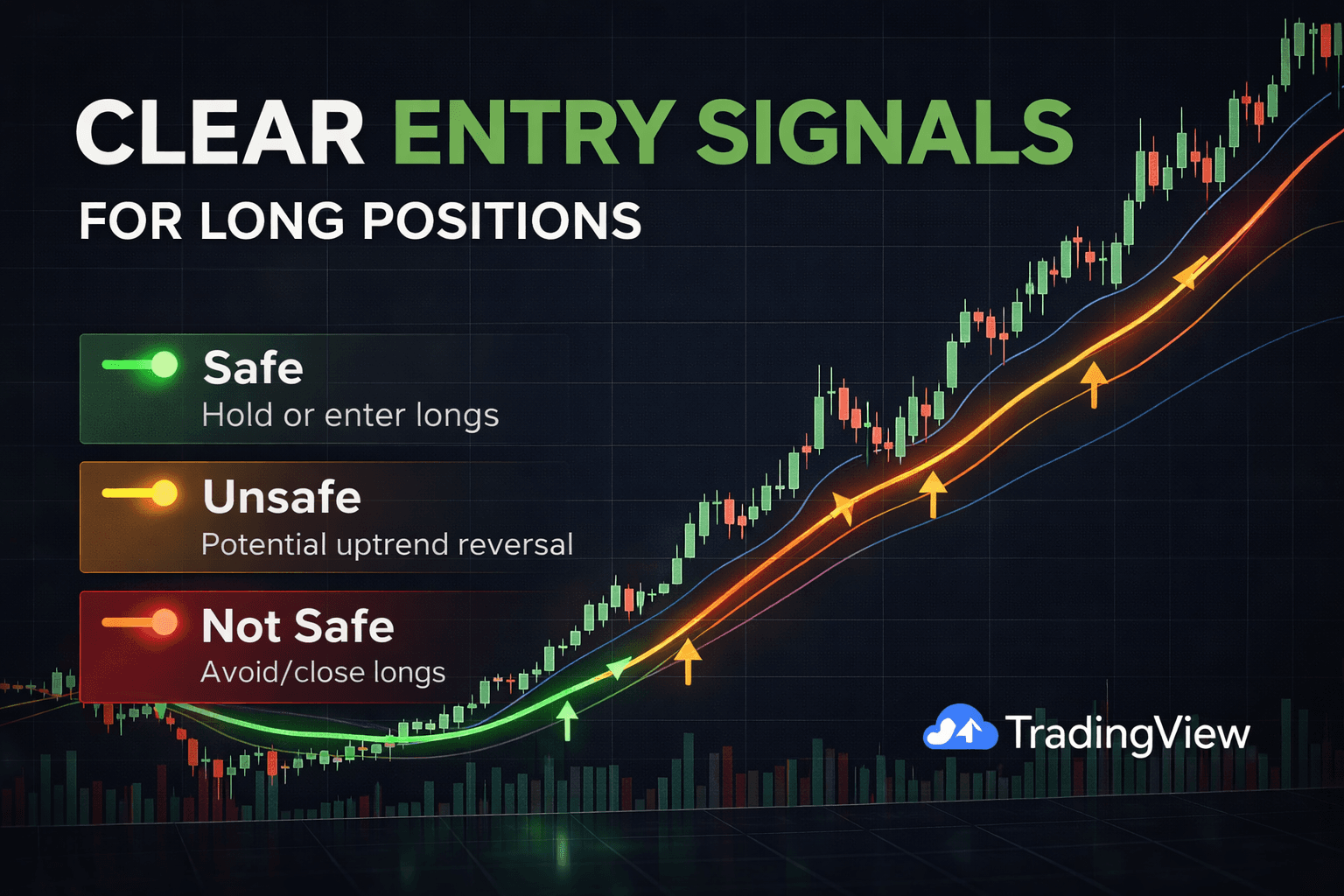
Color-coded signals for long positions:
Green = Safe area (suitable for entering/holding long positions).
Orange = Unsafe area (potential uptrend reversal; consider closing longs if open).
Red = Not safe (avoid or close long positions).
Colors are fully customizable by the user.
Supports user inputs for EMA periods and other settings.
Works on all cryptocurrency, stock, and forex pairs.
Runs in real time on any timeframe.
Compatible with TradingView.
VISUALS
Line is Green (Safe for Long Positions) – EMA 1 length is above every other EMA value specified by the user.
Line is Orange (Attention for Long Positions) – EMA 1 length is below EMA 2 length but both are still above EMA 3 and EMA 4.
Line is Red (Close Long Positions) – EMA 1 and/or EMA 2 has fallen below EMA 3 and EMA
INPUTS
EMA 1 Length – This input will change the value of EMA 1.
EMA 2 Length – This input will change the value of EMA 2.
EMA 3 Length – This input will change the value of EMA 3.
EMA 4 Length – This input will change the value of EMA 4.
PROPERTIES
Initial Capital – The amount of capital in the total portfolio. 1,000 by default. Can be changed by the user.
Base Currency – The currency to be used as base. USD by default. Can be changed by the user.
Order Size – Field 1) The amount of funds to be used per trade. Field 2) Can be changed to the base currency, percent equity, or contracts purchased/sold.
Pyramiding – How many orders can be placed for a single trade. 1 by default. Can be changed by the user.
Commission – Exchange/broker commission rates (maker/taker fee). 0 by default. Can be changed by the user.
Verify Price For Limit Orders – Number of ticks past limit price that must be reached for a limit order to be filled. 0 by default. Can be changed by the user.
Slippage – The amount of ticks to be added to the fill price of market stop orders. 0 by default. Can be changed by the user.
Margin For Long Positions – Percent of equity required to fund long positions. 0 by default. Can be changed by the user.
Margin For Short Positions – Percent of equity required to fund Short positions. 0 by default. Can be changed by the user.
Recalculate – After Order Is Filled) Enables an additional intrabar calculation after an order is filled. On Every Tick) Recalculates the strategy on each update of real time bars.
STYLE
Plot – Turn off/on the plotted line by checking this box. Colors changeable by the user.
Color 0 – Indicates EMA 1 is above all other EMAs.
Color 1 – Indicates EMA 1 is under EMA 2 but both are above EMA 3 and EMA 4.
Color 2 – Indicates EMA 1 and EMA 2 have fallen below EMA 3 and EMA 4.
Labels On Price Scale – Add/remove labels from the price scale by checking this box.
Values In The Status Line – Remove values from the status line of the indicator by checking this box.
VISIBILITY
Set the time frames you would like the strategy back tester to be visible on.
FAQs
How does the EMA Trading indicator work?
The EMA Trading indicator allows the user to see multiple EMA values represented by a single line with green and red indications. You can configure this a few ways – the default values are sufficient for most times frames. We recommend you watch this video to understand it completely. Tutorial video
How do I set up the EMA Trading Indicator in TradingView?
With a free TradingView account you can use up to three indicators simultaneously at no cost. Access is typically granted within 1-24 hours after purchase. If it has been longer than 24 hours since your purchase, Please join our discord server here and visit our #get-support channel to get a ticket, or send an email to admin@cryptouniversity.network
Disclaimer: This content is for educational and informational purposes only and is not financial advice. Nothing here is a recommendation to buy or sell any asset or use any platform. Do your own research and manage your risk.
What we loved
- •Simplifies multi-EMA analysis
- •Clear bias guidance
- •Works across markets
Room for improvement
- •Like any EMA-based tool
- •common for trend indicators